Training

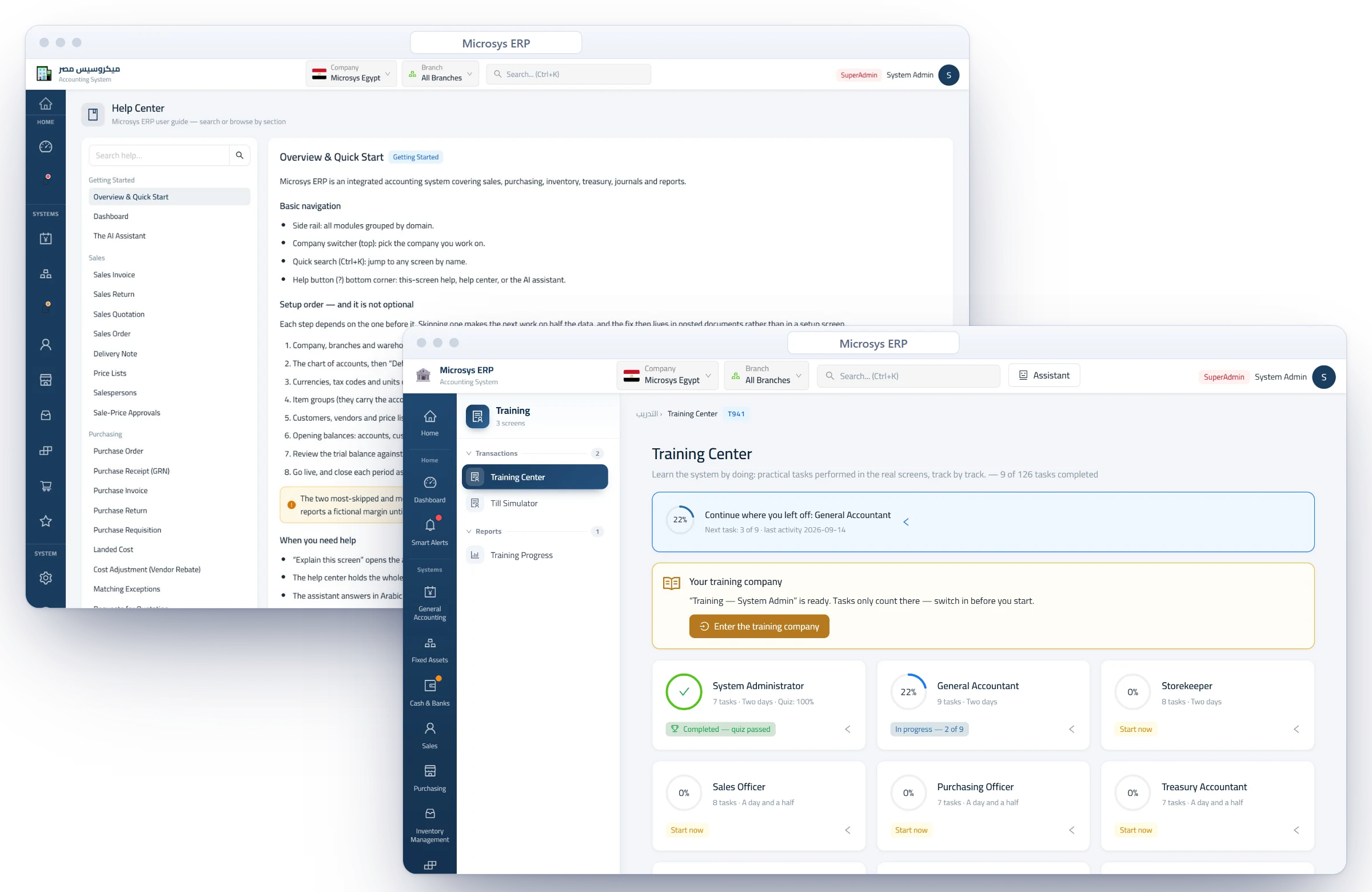
Your team learns inside the real system, on a practice company, with tasks the system checks for itself. Fewer days on site and a faster go-live.

Microsys ERP training: help center and Training Center tracks

Training that checks the work

Trainees do real tasks in the real screens. A task counts only when the system finds the result, such as the posted invoice or the approved transfer.

  1. Pick a trackEach employee follows the track for their role.
  2. Do the tasksStep-by-step tasks inside the real screens, on a practice company.
  3. The system checksA task is completed only when its result exists in the system.
  4. Pass the quizA short quiz confirms the understanding behind the clicks.
  5. Get the certificateAll tasks plus a passed quiz earn the track certificate.

13 tracks, one for each role

From the accountant to the van rep, each person learns only what their job needs.

AdminAccountantStorekeeperSalesPurchasingTreasuryAssets & TaxPOS CashierVan SalesHR & PayrollShippingRetail OperationsReservations

Learning from real cases

Case studies with real figures that connect the departments.

  • A Day at the CompanySix connected cases that follow one business day across sales, stock, treasury and accounts.Flagship case
  • Case sets by roleAccounting, treasury, stock, sales, purchasing, payroll, cashier, POS accountant and branch manager.By role
  • A safe practice companyEach trainee works in a training company. Nothing leaves it: no WhatsApp messages, e-invoices, shipments or till updates.Sandbox

Till simulator

A complete cashier in the browser, so cashiers practise before they touch a real till.

  • Retail modeBarcode scanning, quick items, discounts and returns by receipt.Retail
  • Restaurant modeTwelve tables, send to kitchen, dine-in, take-away and delivery with service charge.Restaurant
  • Every paymentEgyptian pounds, foreign cash, card machines, wallets and split payments.Payments
  • The whole shiftOpening float, blind count, Z report and day close.Shift

For managers

See who is ready and who needs help.

  • Progress dashboardProgress per employee and track, recalculated as work is done.Tracking
  • Stalled traineesAnyone idle for five days is flagged.Follow-up
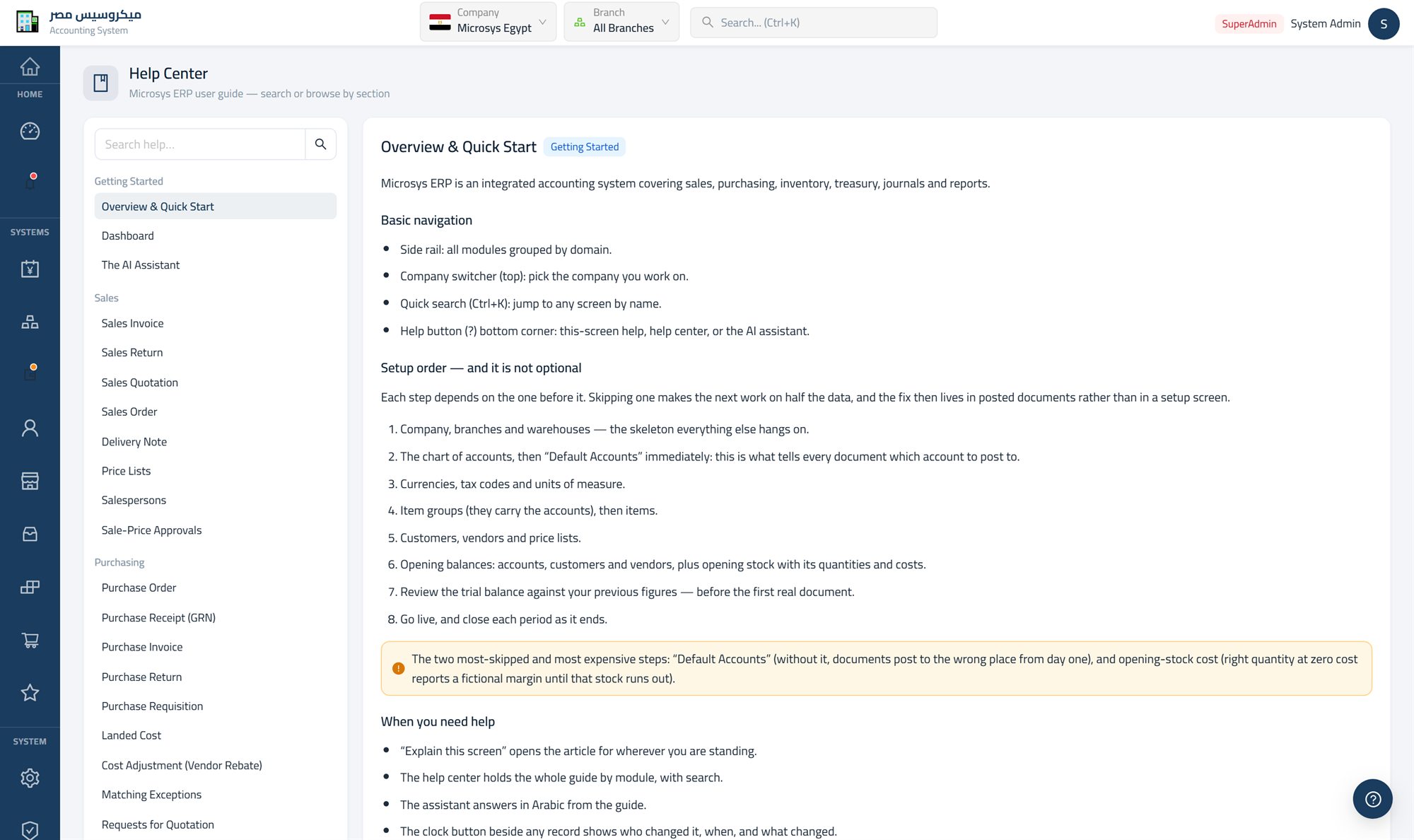
  • Help on every screenA question-mark button on each screen, searchable articles and an Arabic assistant.Help center

Help on every screen

The built-in help center holds the whole user guide, searchable, and opens on the article for the screen you are on. Shown with demo data.

Microsys ERP
The help center inside Microsys ERP

The help center inside Microsys ERP

Cut your go-live training time

See how a new cashier or accountant gets ready on their own, with the system checking every step.